
All events

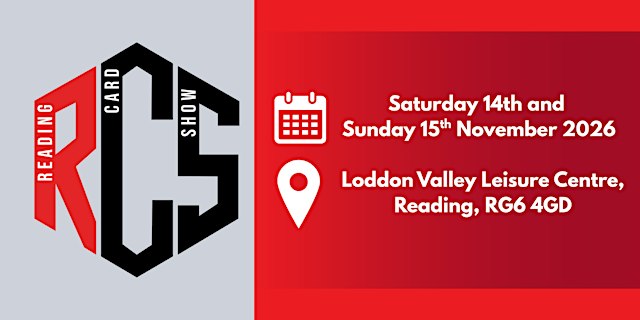
Reading Card Show**](https://www.eventbrite.com/e/reading-card-show-tickets-1989761795092?aff=ebdssbdestsearch) Sat, Nov 14, 9:30 AM Reading · Loddon Valley

Wed 2 Dec 18:00 Paid
Reading Card Show**](https://www.eventbrite.com/e/reading-card-show-tickets-1989761795092?aff=ebdssbdestsearch)

Sat, Nov 14, 9:30 AM


Reading · Loddon Valley

About

Reading Card Show**](https://www.eventbrite.com/e/reading-card-show-tickets-1989761795092?aff=ebdssbdestsearch) Sat, Nov 14, 9:30 AM Reading · Loddon Valley Leisure Centre _Save this event: Reading Card Show__Share this event: Reading Card Show_ [![Reading Card Show primary image](https://img.evbuc.com/https%3A%2F%2Fcdn.evbuc.com%2Fimages%2F1184746245%2F2630144765131%2F1%2Foriginal.20260516-132018?crop=focalpoint&fit=crop&w=640&auto=format%2Ccompress&q=75&sharp=10&fp-x=0.5&fp-y=0.5&s=d45d36d586e75ae793e817de8134d524)](https://www.eventbrite.com/e/reading-card-show
Where

Lakeside Country Club, Camberley

View on map
Indoors

Get What's On Locally on your phone

Nothing to download from an app store. Add it to your home screen in about 10 seconds and it opens like any other app, with your icon on the screen.

iPhone & iPad

Works in Safari

  1. 1Open whatsonlocally.co.uk in Safari.
  2. 2Tap the Share button at the bottom of the screen.Share
  3. 3Scroll down the list and tap Add to Home Screen.Add to Home Screen
  4. 4Tap Add in the top-right corner. Your icon is now on the home screen.

Android

Works in Chrome

  1. 1Open whatsonlocally.co.uk in Chrome.
  2. 2Tap the three dots at the top-right of the screen.Menu
  3. 3Tap Add to Home screen. Some phones call it Install app.Add to Home screen
  4. 4Tap Add or Install. Your icon is now on the home screen.

Can't see the buttons? Check you're using Safari on iPhone or Chrome on Android — other browsers hide them. To remove it, press and hold the icon and choose Delete App (iPhone) or Uninstall (Android).